Installable .bar · Chromium on QNX · BlackBerry 10

The Chromium browser you sideload onto BB10.

Berry Browser is a real app — not a bookmark, not stock WebKit. It is a GPU‑rendered Chromium window with a modern start page, HTTPS, YouTube, WhatsApp Web, and settings tuned for Passport, Classic, Q10, and Z‑series phones. Watch the demo, grab the BAR, or try experimental builds when you want the bleeding edge.

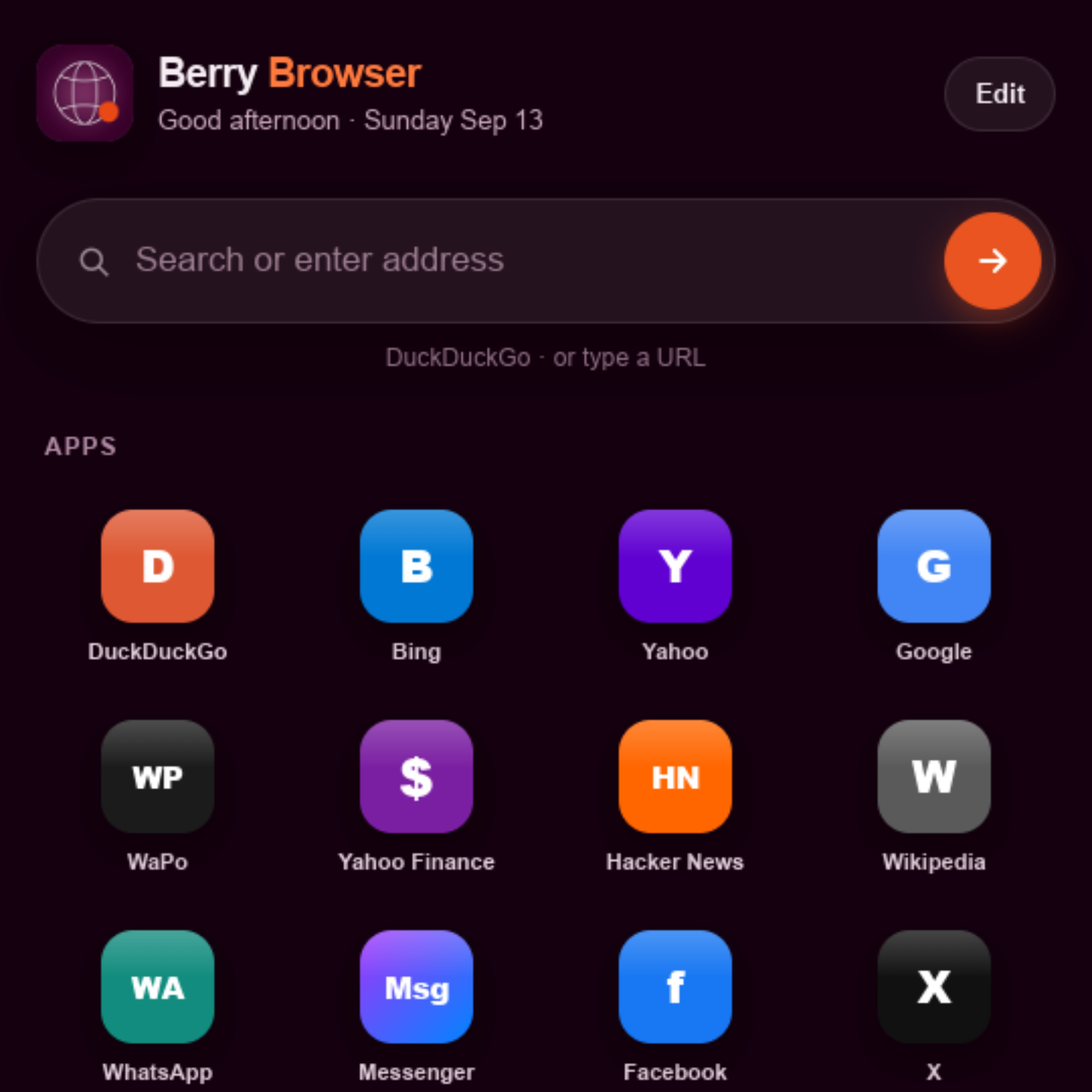
Berry Browser start page on BlackBerry 10 — search bar and app shortcuts
Latest stable
v3.0.2 · build 84
Package
~60 MB .bar
Requires
BB10 10.3.x

See it on a Passport

Full walkthrough: Berry Browser: Modern Chromium for BlackBerry 10 (Passport) by SW7FT. The embed starts at the demo moment (~8:55); use the link if you prefer YouTube directly.

What you are looking at

A ~2024‑era Chromium engine running inside a native BB10 .bar — windowed rendering, real tabs/toolbar chrome, and sites that stock BB10 simply cannot load anymore. The video shows everyday use on a Passport: launching the app, navigating the modern web, and the kind of performance you get when Blink and V8 replace the platform’s ancient WebKit fork.

Why it matters

Berry Browser is the productized end of the chromium-for-bb10 port: TLS with a bundled root store, GPU compositing, ad/tracker blocking at the network layer, YouTube and messaging web apps, BB10 Share handoff, and pin‑to‑home‑screen — packaged so you install it like any other sideloaded BAR.

Open on YouTube ↗

Berry Browser new tab page with search and shortcuts
Built‑in start page DuckDuckGo search (or type a URL), quick links to search engines, news, WhatsApp, Messenger, and more — a real browser home screen, not a wrapper around the old OS browser.
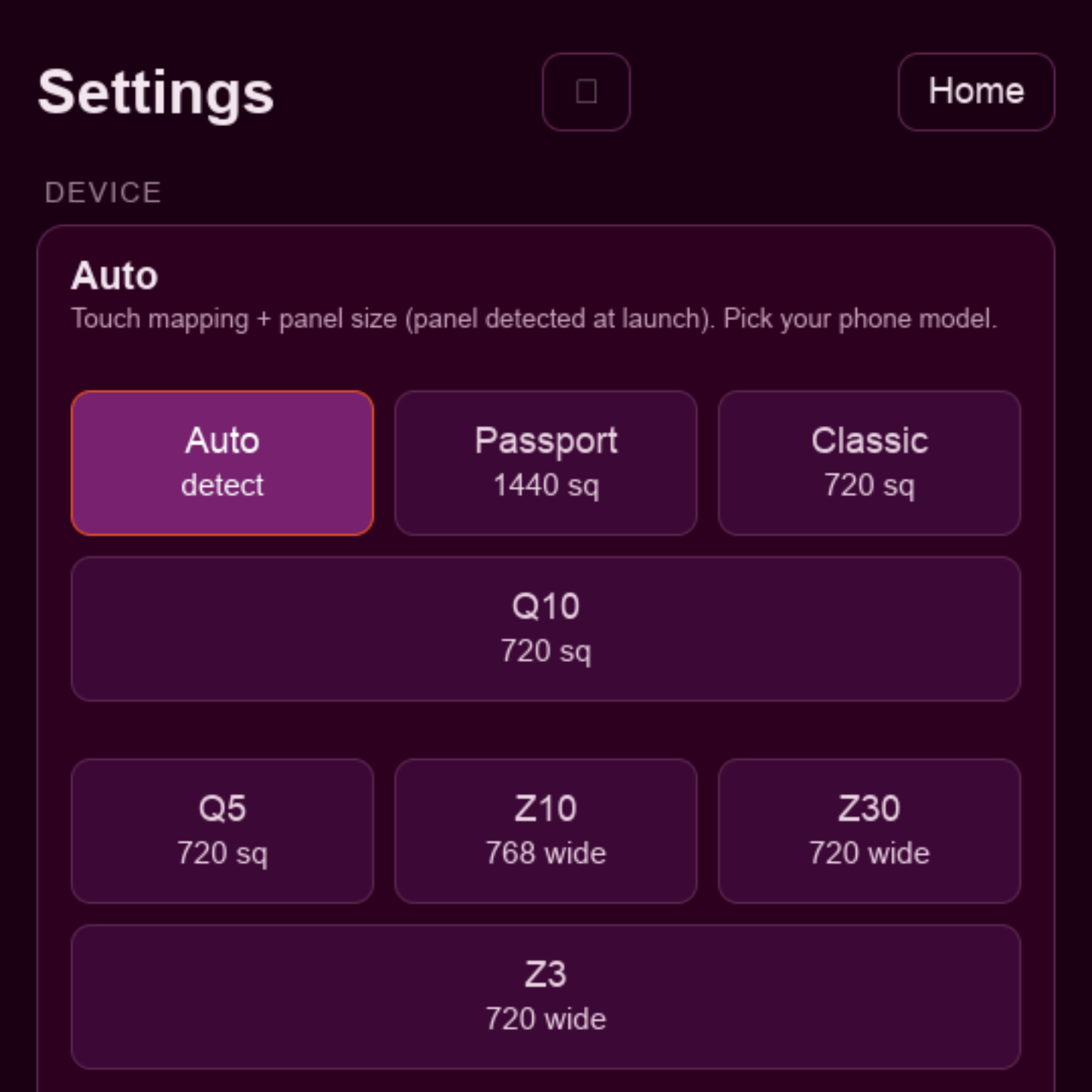
Berry Browser settings — device auto-detect and BB10 models
Per‑device calibration Auto‑detect panel size and touch mapping at launch (build 84+), or pick Passport, Classic, Q10, Q5, Z10, Z30, or Z3 manually — square and tall layouts both supported.

What Berry Browser is (and is not)

It is an installable BlackBerry 10 application — a Chromium‑powered browser you sideload as BerryBrowserV3-….bar, launch from the home screen, and use as your daily web client on supported BB10 10.3.x hardware.

It is not this GitHub repo’s source tree. Engine code, patches, and build branches (including active berry-v3) live in chromium-for-bb10. sw7ft/berry-browser is the public front door: demo, screenshots, stable download links, and a place to publish experimental BAR files.

The port began as headless content_shell on QNX ARM32 and grew into windowed EGL + Skia UI, BoringSSL, QUIC, and BAR packaging. Berry Browser is that journey turned into something you can hand someone with a cable and a BAR file.

Works alongside BerryCore / berrycore.sw7ft.com when you use rooted qpkg workflows — same ecosystem, different repos.

Stable release

Recommended

Berry Browser V3 · 3.0.2 (build 84)

Panel auto-detect at launch — touch calibration on Passport, Classic, Q10, Z series, and more.

  • Windowed GPU rendering (45 fps cap, resolution tiers)
  • HTTPS via bundled CA store · TLS 1.3 · QUIC
  • YouTube watch/search · WhatsApp Web · Messenger
  • Ad & tracker blocking · pin sites · BB10 Share
  • In-app settings, dark mode, persistent cache
Quick install (sideload)
  1. Enable Development Mode (Settings → Security and Privacy).
  2. Sideload the .bar with Sachesi, DDPB, or an on-device manager that supports BAR installs.
  3. Launch Berry Browser from the home screen.

Some BerryCore workflows expect a rooted device and qpkg; sideload paths vary by setup — see BerryCore docs if you install via package manager instead.

Experimental BAR files

Bleeding-edge builds land here first: new shims, device profiles, YouTube changes, or UI experiments. They may crash, expire certs, or disagree with your model — treat them as tester builds, not daily drivers.

Stable binaries remain canonical in chromium-for-bb10/releases until promoted here.